
Release note
Beta Release #10 | Brand New Interface and More File Formats Supported
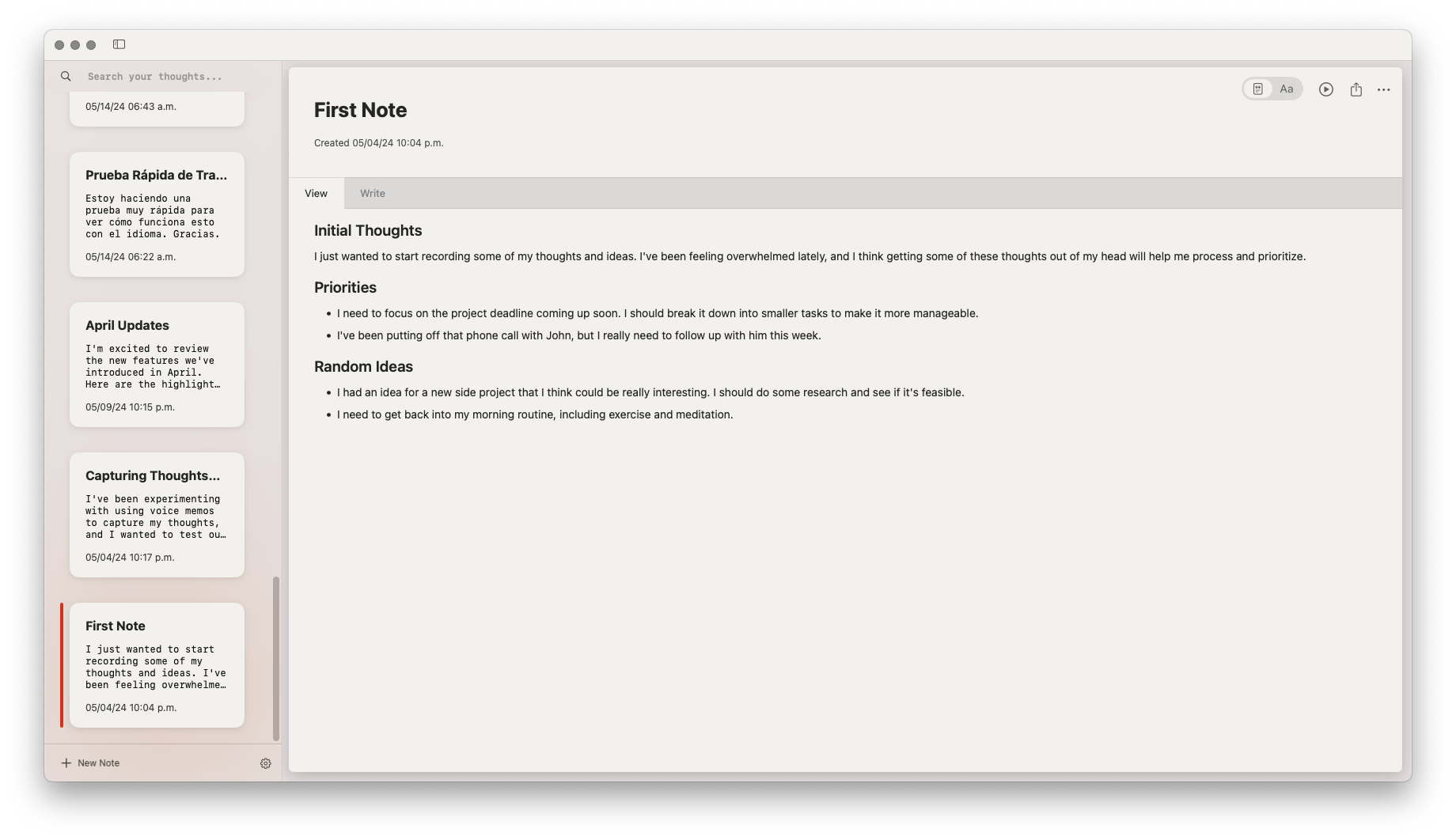
Now live in Cleft: Brand new UI, plans are live and we upgraded our documentation. iOS Build 45, Mac OS Build 22.
The latest release is now live! Build 22 for Mac and build 44 for iOS are now live. You may download/update right away.
Check out the changelog here and Cleft note to listen to here.
New Features
- Brand new UI for writing and viewing notes:You can now highlight and copy formatted text in the View tab. Note you can only select one line at a time, for now.
- Plans are now live: Basic and Plus plans are now live.
- Basic plan is a non-awful free version - everything that was included in the beta we were going to charge for $60 per year for, is now available free of charge. We're going to write about this more soon, but we wanted to share the good news fast.
- Plus plan includes upgrades include longer record time, extended AI instructions and integration support.
- Documentation upgrade: As promised, we continue to upgrade out documentation.
Improvements
- Support for more file formats when uploading and attaching files.
- Moved the formatting buttons into a drop down menu on MacOS.
- Added undo and redo buttons to the writing tab.
- Hid the welcome note from the notes list on the left.
Fixes
- Fixed an issue where losing network could make your note disappear.
- Transcription Errors: Added logic to handle some errors users found.