
Release note · v1.14.0
Make Cleft yours.
Pick the shape of each note, save Markdown and audio locally, sync your settings, and capture from Mac, Watch, and CarPlay with more control.
iOS build 159 · iPadOS build 159 · macOS build 173 · watchOS build 159 · CarPlay
01: Note styles
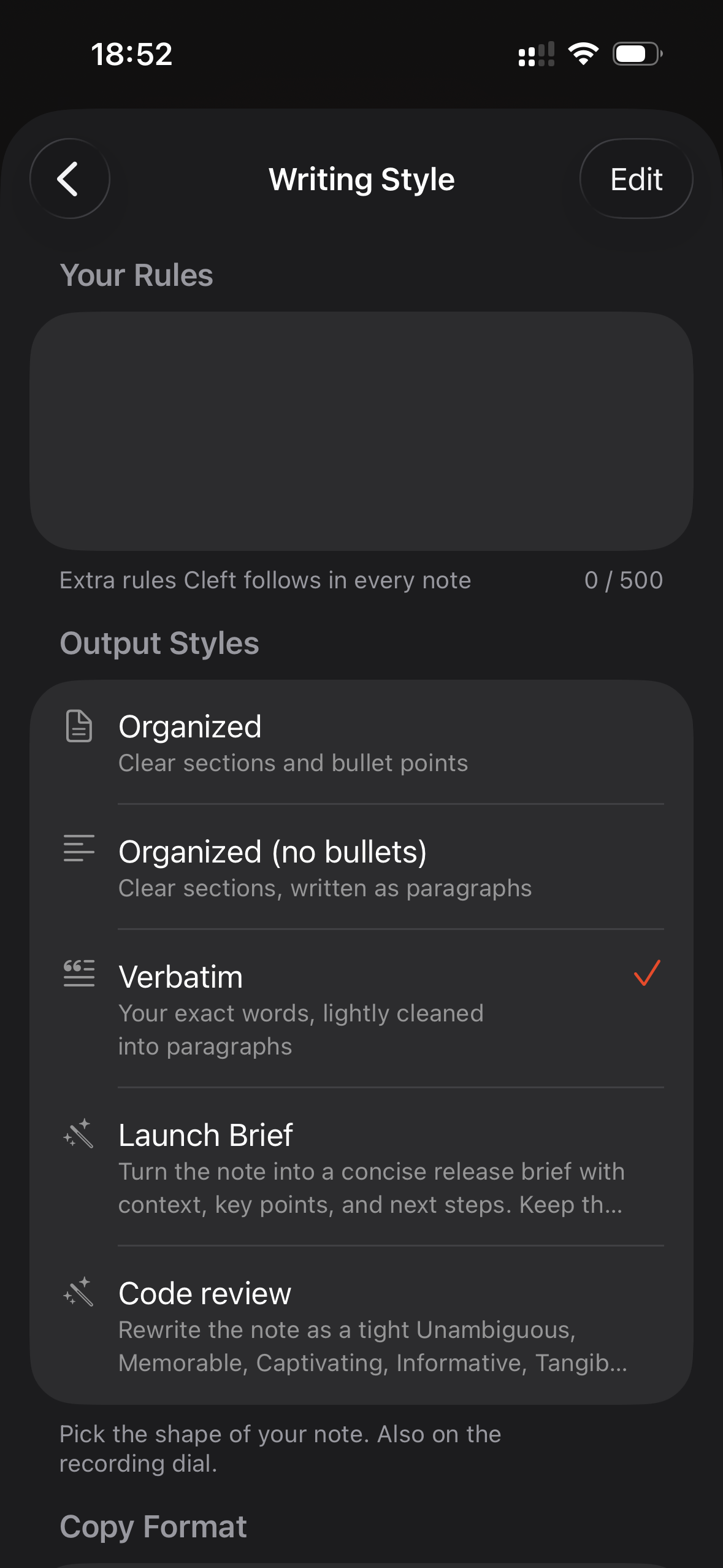
Pick the shape before you record.
Choose Structured, Structured Prose, Clean Transcript, or one of your own saved styles from the recorder. The same choice follows regeneration later, so a rough voice note can become the exact format you meant.
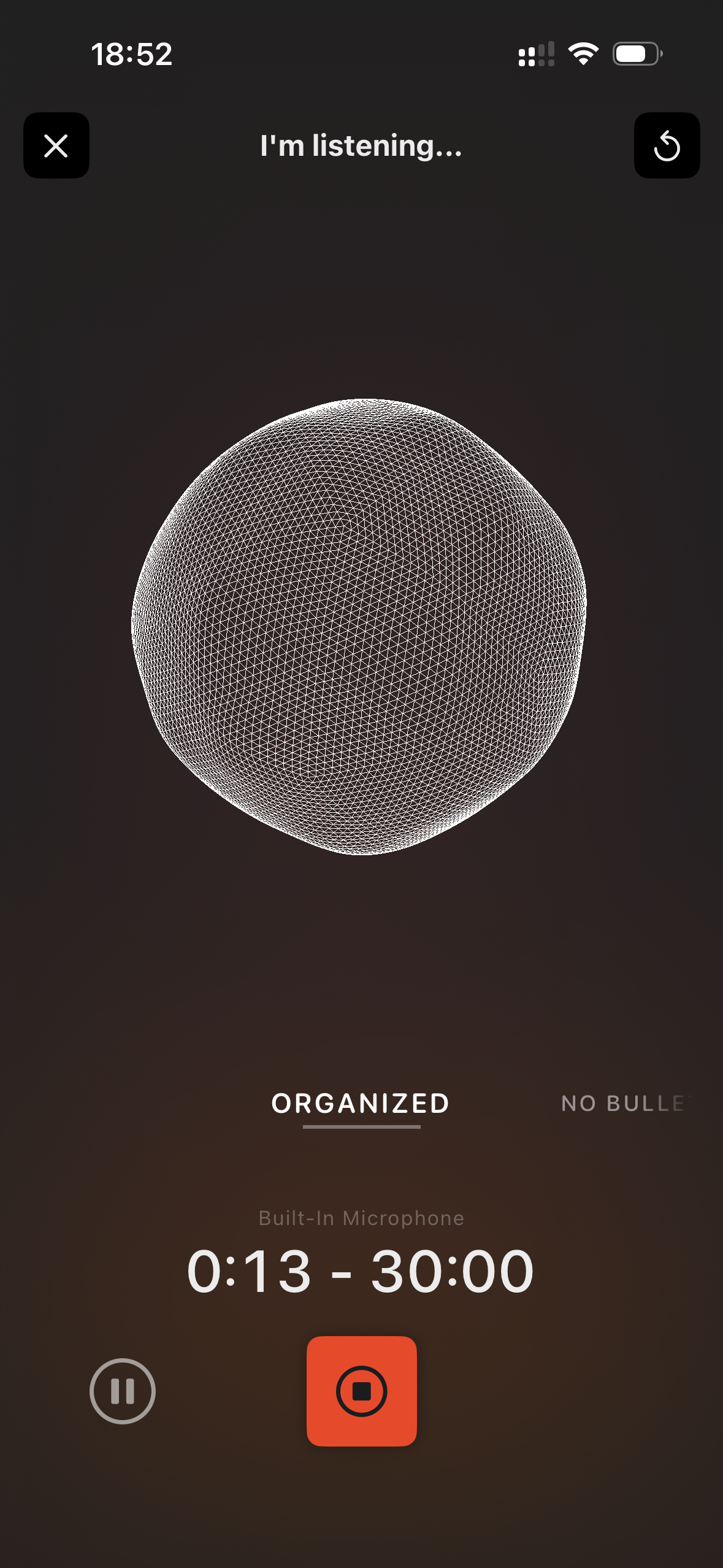
- Built-in styles. Three clear presets, each named for the job it does.
- Custom styles. Plus members save reusable instructions and reorder the dial.
- Watch and CarPlay. Pick a style from your wrist or dashboard before you speak.
02: Your rules
Set one rule Cleft always follows.
Your Rules gives Plus members a standing instruction for every note. Keep it brief, avoid a word, use a house style, or preserve a structure you use every week.
- A rule for every note. Up to 500 characters, visible in Settings. Plus
- Synced settings. Theme, note style, language, rules, and export choices follow your devices. iPhone · iPad · Mac
- Clearer names. Rules and Note Style are separate, so the control is easier to understand. Settings
03: Local Sync
Keep a copy where your work already lives.
Cleft can save every note as Markdown on iPhone, iPad, and Mac. Plus members choose the folder, point Cleft at a vault or writing app, and keep the original recording beside the note.
1 folder.Markdown, metadata, and optional audio
- Readable filenames. Dates and a few useful words replace long internal IDs.
- Audio beside notes. Turn on the audio toggle to keep the recording with the file.
- Folder controls. Pick a custom destination from iPhone, iPad, or Mac.
Highlights from the rest.
Improvements
- Global Mac recording. Option-Command-N starts recording from anywhere.
- Jump by number. Command-1 through Command-9 opens the matching note in the list.
- Searchable shortcuts. Mac Settings shows every shortcut in one place.
- Local Sync has a home. Save-to-device controls live in their own Settings section.
- Roadmap links updated. In-app roadmap and feature-request links open cleftnotes.com/roadmap.
- Update reminders. A gentle Home screen prompt appears when a newer version is ready.
Fixes
- Watch sync recovers. Stuck recordings retry and land as one note.
- Delete asks properly. Confirmations stay open until you choose.
- Mac controls feel native. Toolbar menus, selected cards, and window behavior line up with macOS.
- Style controls behave. Haptics, long names, deleted styles, and Mac scrolling are calmer.
- Exports tell the truth. Save Existing Notes starts right away and reports failures clearly.
- Mac shortcut reliability. Global recording keeps working after reopening the recorder.
Thanks to Aliaksandr, Andy A, Andrew A, Arthur M, Cemre G, Daavid S, Dave R, Grzegorz, Jaime B, Kurtis G, Nigel, Paddy R, Parker K, Rafa P, Rich P, Rumeet W, Sheldon G, Simon B, Solange, Steve H, Tim B for testing this release and reporting the edges.
Read the complete v1.14.0 changelog for every shipped change, build number, and guide link.